Remote Panel Moderator's Guide to Stress-Free Meetings How to Stay in Control and Never Miss a Beat
Feeling Lost in Your Remote Panels? You’re Not Alone
Ever felt like you're juggling a dozen things during a remote panel and still leaving the call wondering what actually happened? You’re not the only one. When you’re moderating panels remotely, distractions, tech glitches, and keeping track of who said what can turn your workday upside down.
But guess what? There’s a way to regain control of your sessions without adding more hassle to your plate.
What’s Really Eating Up Your Energy as a Remote Panel Moderator?
- "I can’t catch everything when multiple people are talking."
- "I’m constantly scrambling after the meeting to piece together notes and key points."
- "Background noise and tech problems make it impossible to focus."
- "I hate having to remind people to stay on the agenda and keep things moving."
- "It feels like I’m always on edge, trying to keep track of speakers and important moments."
Sound familiar? These are daily headaches that drain your confidence and leave your meetings feeling messy.
Imagine Your Next Panel, But Different
What if your meetings flowed smoothly, and you could actually listen without missing a single critical detail? Imagine automatically having a clean summary ready to go once the discussion wraps up , no frantic note-taking or replaying parts of the recording.
This isn’t some futuristic dream. Tools like Meeting Buddy silently support moderators by capturing every word locally and offering real-time insights just to you. It’s like having an invisible assistant that helps you track speakers, alerts you to key moments, and keeps your focus sharp.
Picture this:
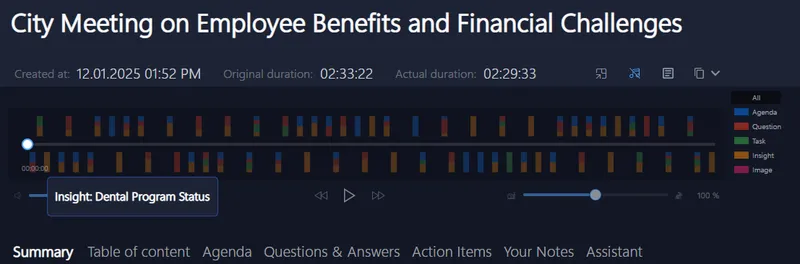
You get to spend your energy on managing conversations, not on frantic multitasking.
Why Your Current Toolkit Isn’t Cutting It
Most meeting tools either require adding awkward bots to the call or shy away from protecting your privacy , which can freak out your panelists. Plus, those cloud-based solutions often miss real-time insights, leaving you fishing for highlights after everything’s over.
And the noise? Background chatter and system noises blur what’s said and cause you to replay clips endlessly.
You deserve a way to moderate that respects participants’ privacy, works seamlessly with Zoom, Teams, Meet, and more, and helps you keep the panel on point, live.
Ready to Try a Game Changer for Your Next Remote Panel?
No complicated setup or tech headaches. Meeting Buddy listens quietly by your side, no bots, no invites, just instant help with transcripts, keyword alerts, and speaker tracking.
It fits right into your workflow and supports all your go-to platforms:
- Signal
- Zoom
- Microsoft Teams
- Google Meet
- Webex
Whether you’re a recruiter juggling multiple candidate panels, a sales consultant staying on top of prospects, or an agency managing client discussions, this tool helps you stay in control with zero fuss.
Give it a try next call and see how smooth your panels can be.
Remember: You don’t have to fight to stay on top of remote panels. With the right support, you can focus on what matters, making meaningful connections and guiding the conversation.
For more ideas on taking control of remote meetings, visit Meeting Buddy’s homepage or check out their Live Tools and Analytics pages.
Written for remote panel moderators seeking smarter, simpler ways to run flawless meetings.
Last update: 06 07 2025
