How to Actually Stay Present in Remote Meetings Without Losing Your Mind or Missing the Details
Ever feel like remote meetings drain your energy and leave you scrambling for notes you didn’t even take? You’re not alone. Trying to juggle focusing on the conversation while capturing important action points is a legit nightmare. But what if there was a way to finally get off that hamster wheel?
Real Talk: Why Remote Meetings Sometimes Suck
Let’s be honest , remote meetings bring their own set of headaches you’ve learned to live with, like:
- Trying to catch every word while staring at a pixelated grid of faces.
- Interruptions, lag, and background noise turning your concentration into mush.
- Scrambling to jot down action items as the chat moves faster than your fingers.
- Feeling like you missed that crucial point because your attention drifted just for a second.
- Dreading the post-meeting scramble to piece together what was actually said.
Sound familiar? It’s frustrating because you want to be fully engaged, but somewhere between speaking and writing, something slips through the cracks.
Imagine This: Meetings That Don’t Drain You, With Notes You Can Actually Use
What if someone quietly took care of all the boring parts? Imagine an assistant who listens closely, captures every key detail, and hands you a neat summary right after. No bots cluttering your calls. No worries about your data floating in some cloud server. Just pure focus, and peace of mind that nothing important was missed.
You keep your flow, stay present, and after the call, there’s a clear list to act on. That’s the kinda smooth meeting rhythm every remote worker dreams of.

Why Most Meeting Tools Just Don’t Cut It
You’ve tried plenty of meeting aids. But here’s why they probably fall short:
- They require you to add bot participants, which feels weird and sometimes scares off your colleagues.
- Your meeting data gets sent off to servers you don’t control, hello privacy freakout.
- Real-time help comes with delays or distractions that break your focus.
- Language or accent support is limited, making transcription less reliable.
- Post-meeting summaries are either missing or so generic they don’t help plan your next steps.
It’s like having a tool that promises a lot but can’t keep up with your fast-paced reality.
Try This On Your Next Call: A Meeting Sidekick That Just Works
Next time you hop on Zoom, Teams, Signal, or Google Meet, think about having an invisible co-pilot that quietly listens and helps you get the most out of your chat. No complicated setup. No switching apps mid-meeting. Just seamless support that fits right into how you already work.
Whether you’re coaching, consulting, selling, or recruiting, this assistant adapts to you , tracking voices, highlighting key questions, and turning chaos into clear, actionable notes.
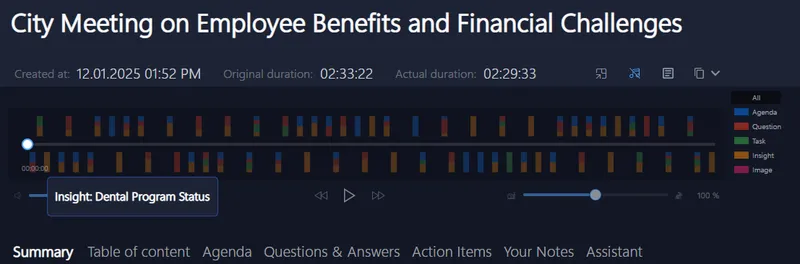
Give it a shot. The first 30 days come risk-free to see if your meetings feel less like a slog and more like an actual conversation.
If you want to explore more, check out Meeting Buddy's Live Tools and see how you can keep your remote meetings sharp and distraction-free.
Article inspired by the ways remote professionals are reclaiming control of their meetings without extra hassle and with total privacy.
Last update: 06 07 2025
