Get Instant Meeting Answers
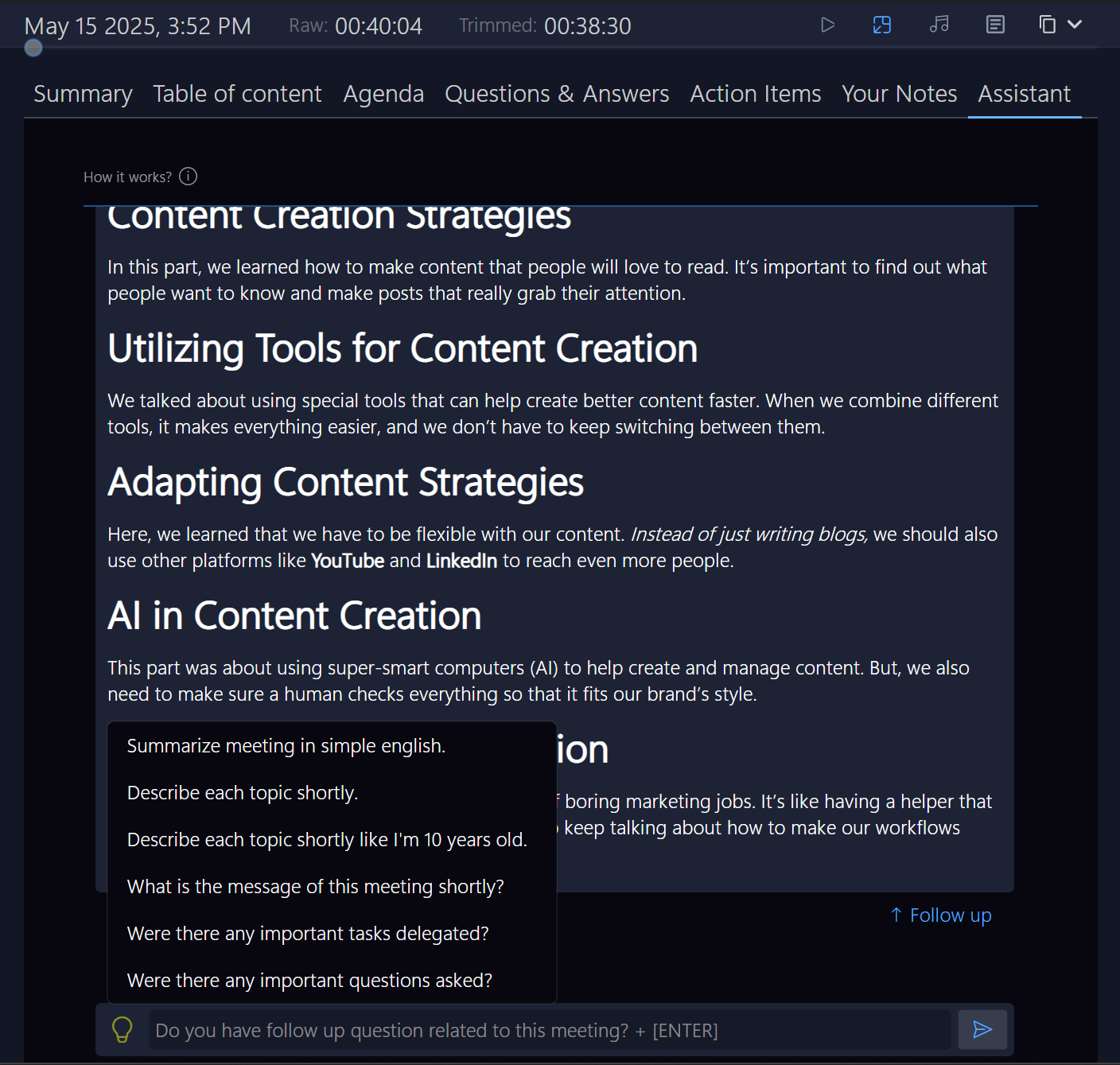

Ask your AI Assistant For Key Meeting Insights
Tired of sifting through endless reports? Ask for the core facts directly, and get concise, data-driven answers in seconds.

No Need to Think of Questions
Focus on what matters—skip the hassle of figuring out what to ask.
Ask Anything
Need clarity on decisions made? Just ask your assistant for precise answers, instantly.
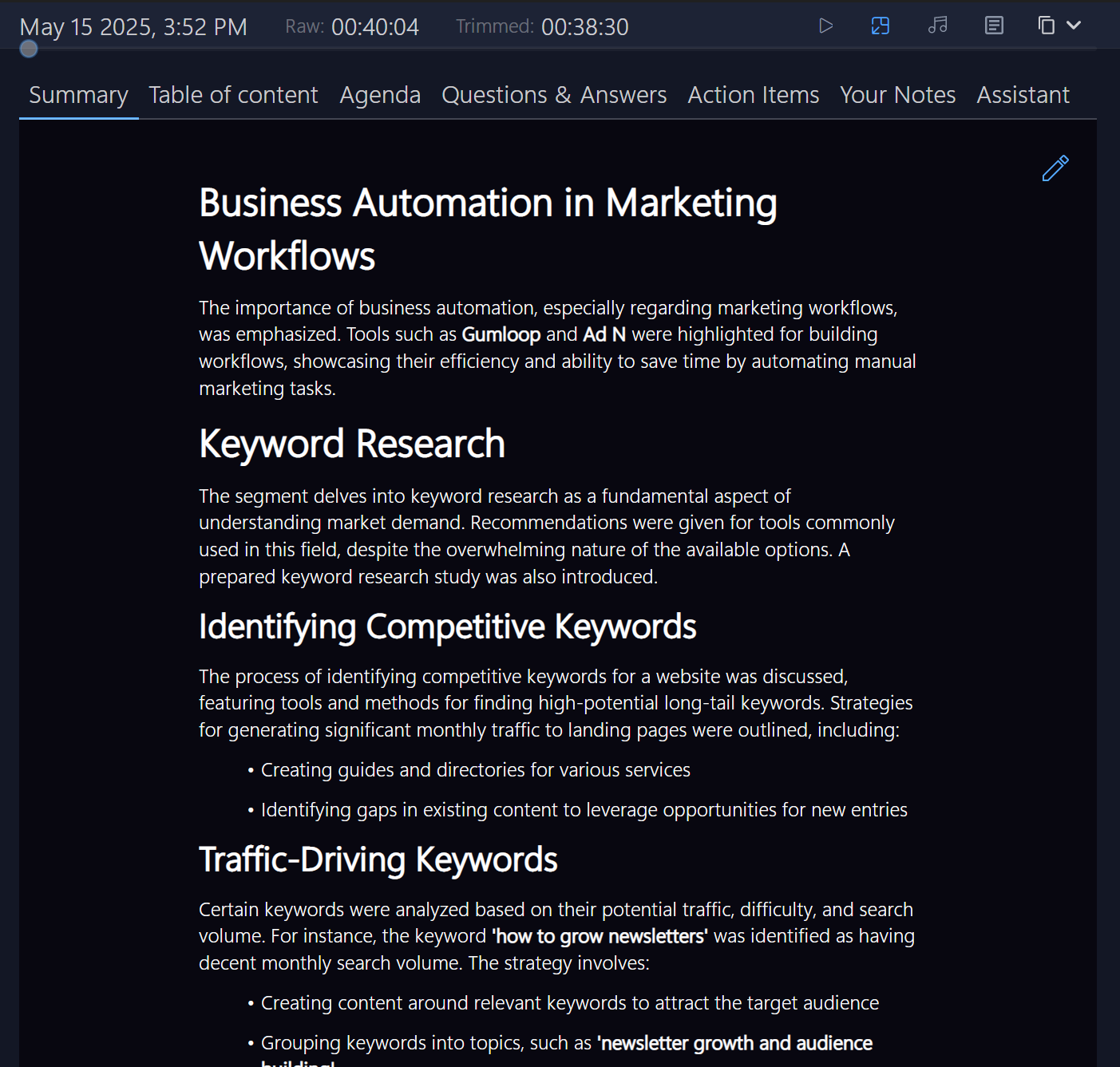
Your Meeting Your Way
Get your to-do list and key points, all ready for you to edit.
Clear Task Tracking
Instantly see what’s next and stay on top of your action items with clarity.
Edit and Share
Quickly edit, store, and distribute meeting outcomes.
Find Any Moment Instantly Over Every Meeting Moment
Jump straight to the important parts, skipping all the noise.
Play Key Moments Instantly
No more hunting for important bits—replay the essentials, effortlessly.
Highlight What's Important
Instantly highlight critical points with color tags and a smart guide.
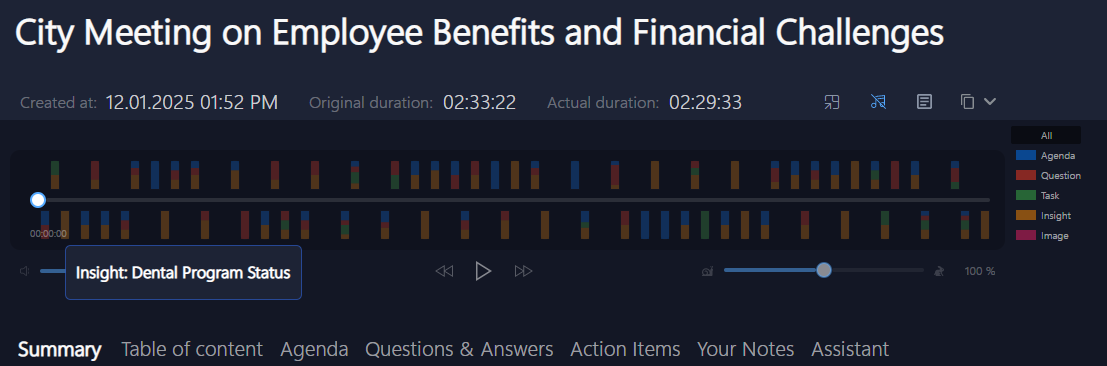
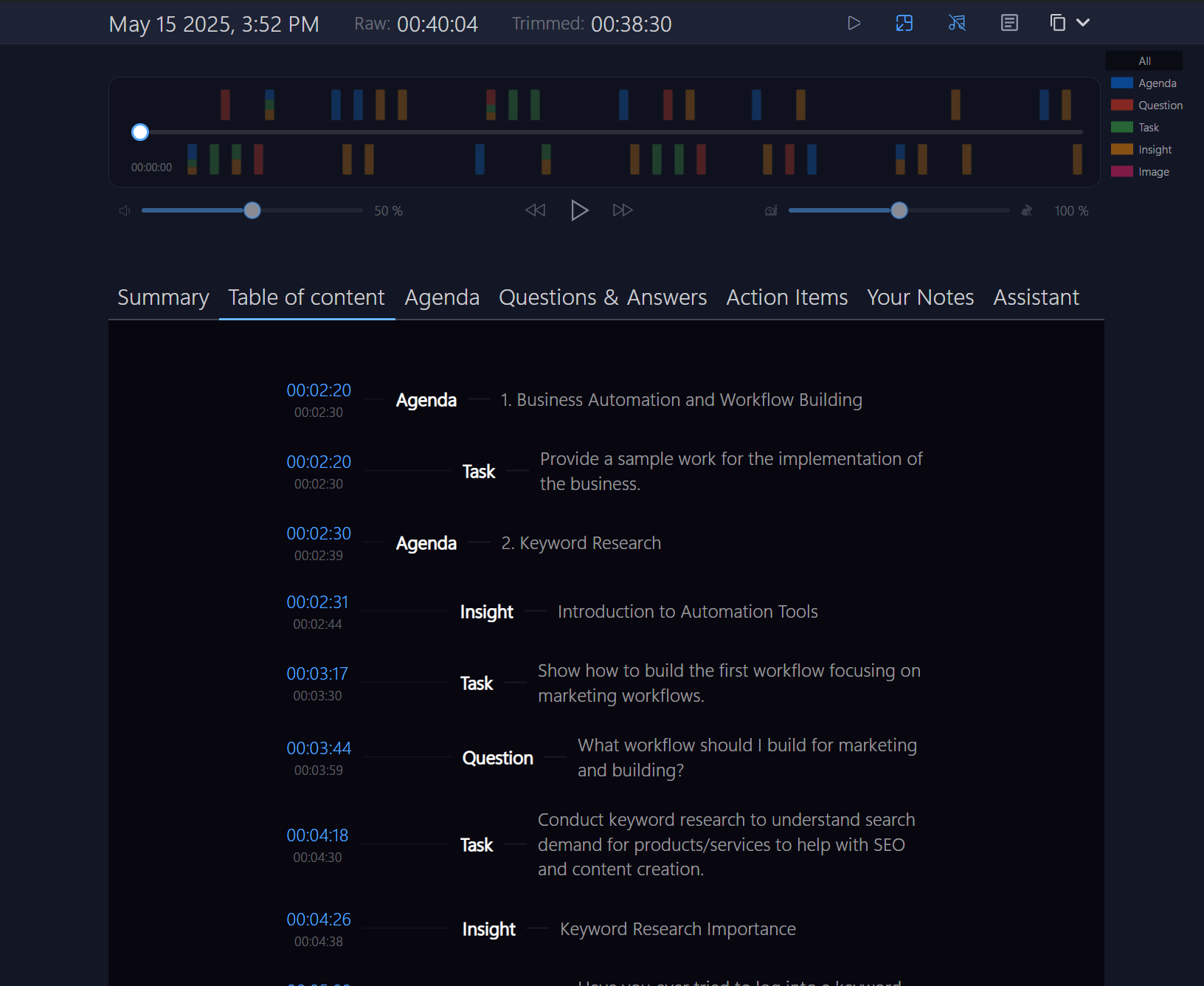
Be in Charge of Your Meeting
Easily navigate your meeting and listen to the most important parts when you need to.
Find Important Parts
Automatically Find Important Ideas. No scrubbing. No scrolling. No guessing.
Find Key Information Quickly
Get aligned fast. Sync quick. Align fast. Act sharp.
A Clean Meeting Breakdown See What Really Mattered Skip The Noise
Get a breakdown of your meeting with only the most important parts.
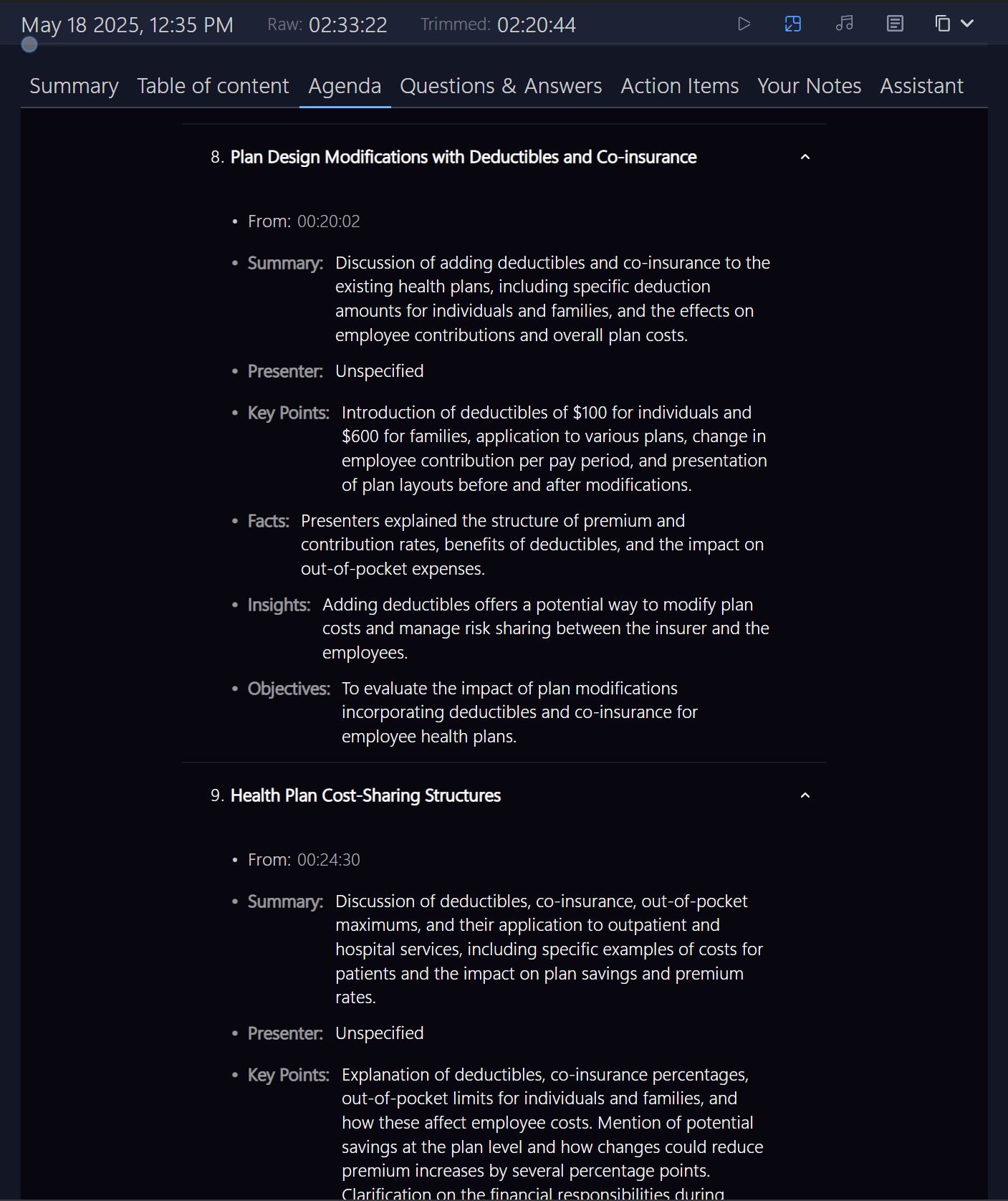
Know Who Said What and Why
Reconstruct the flow—who said what, when, and why. Full meeting traceability. No guesswork. No blind spots.
Share Your Summary, Seamlessly
Easily edit and share the meeting plan. Keep your team in sync and on track.
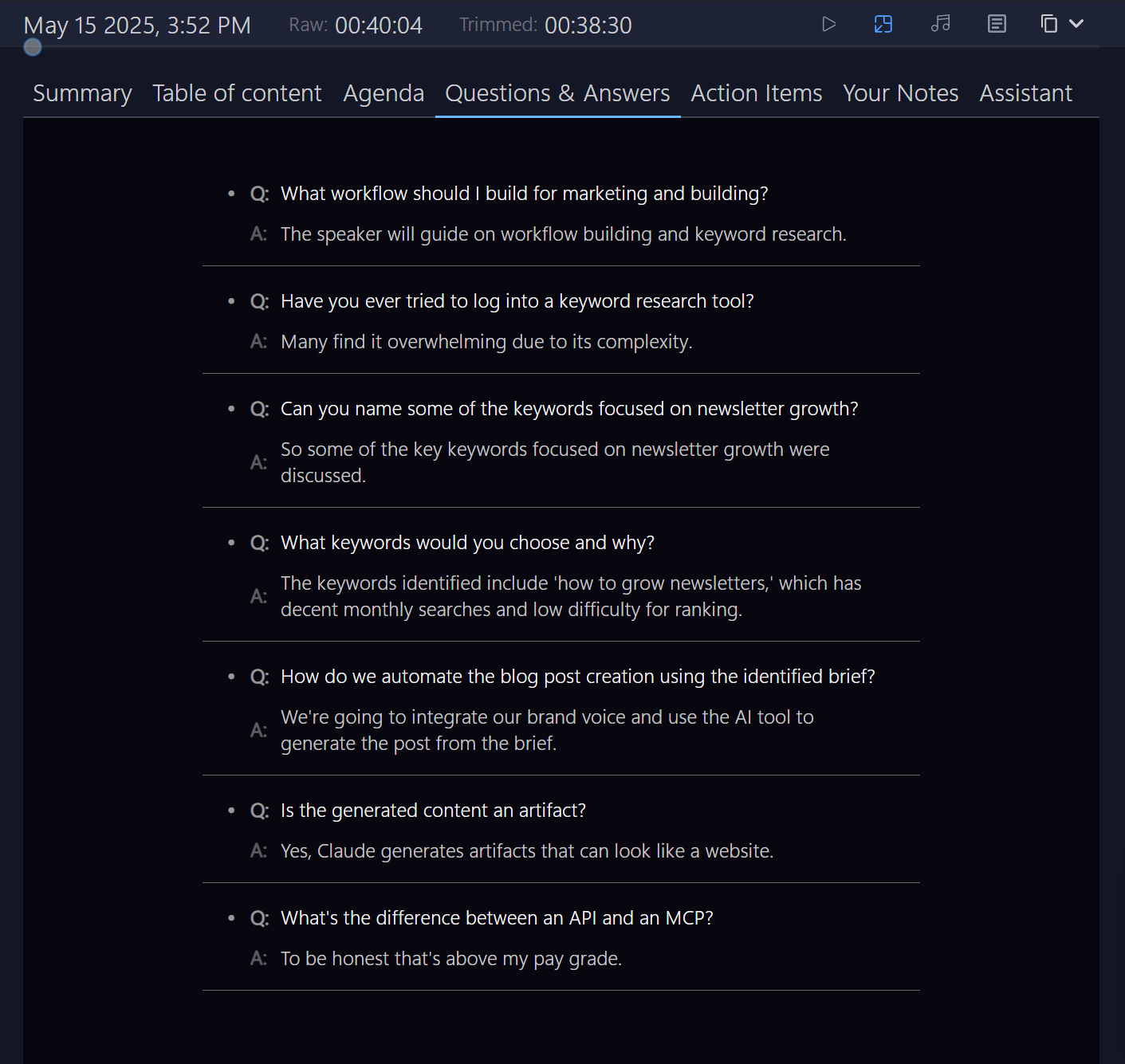
Never Miss a Question or Answer
Skim past the noise. Replay what really mattered—nothing extra, just the core.
Automatically Capture Key Points
Every key question is tagged for you. Never scroll through silence again.
All Your Answers in One Place
Click to review, copy, or export—sync clarity across the team, instantly.
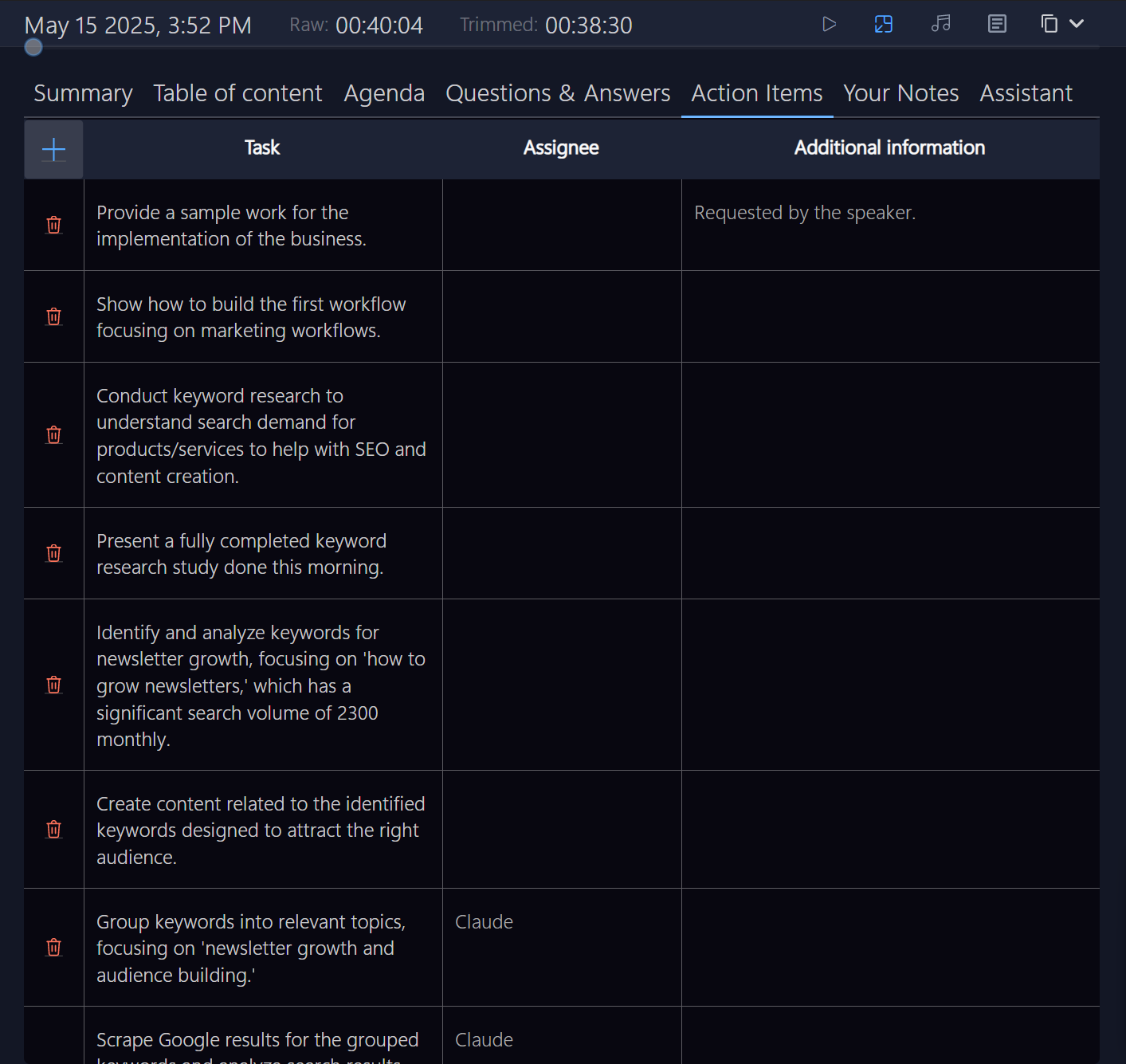
Manage Every Task and Action
Automatically track your tasks from meetings—no task left behind.
Pin Important To-Dos
Quickly find, tag, and organize important tasks from the conversation.
Export and Share Your Work
Manage and share tasks—instantly, securely, and privately.
Works with Your Tools
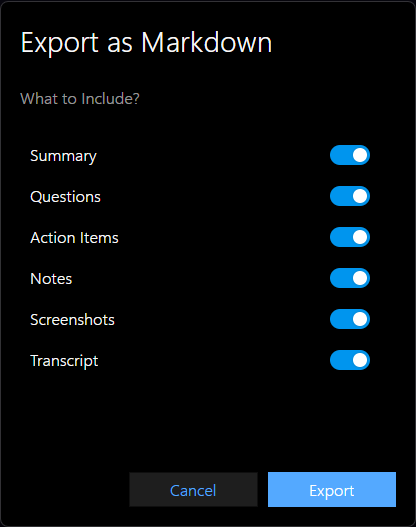
Export your meeting to Txt, Markdown, Jira, Word, or as an audio file. Private and portable.
You Choose What to Export
Extract exactly what matters, like briefs, tasks, and key points.
Easy Local Saves
Save in multiple formats, with no limits. Works on any computer.
After The Meeting, AI Assistant Keeps Working For You
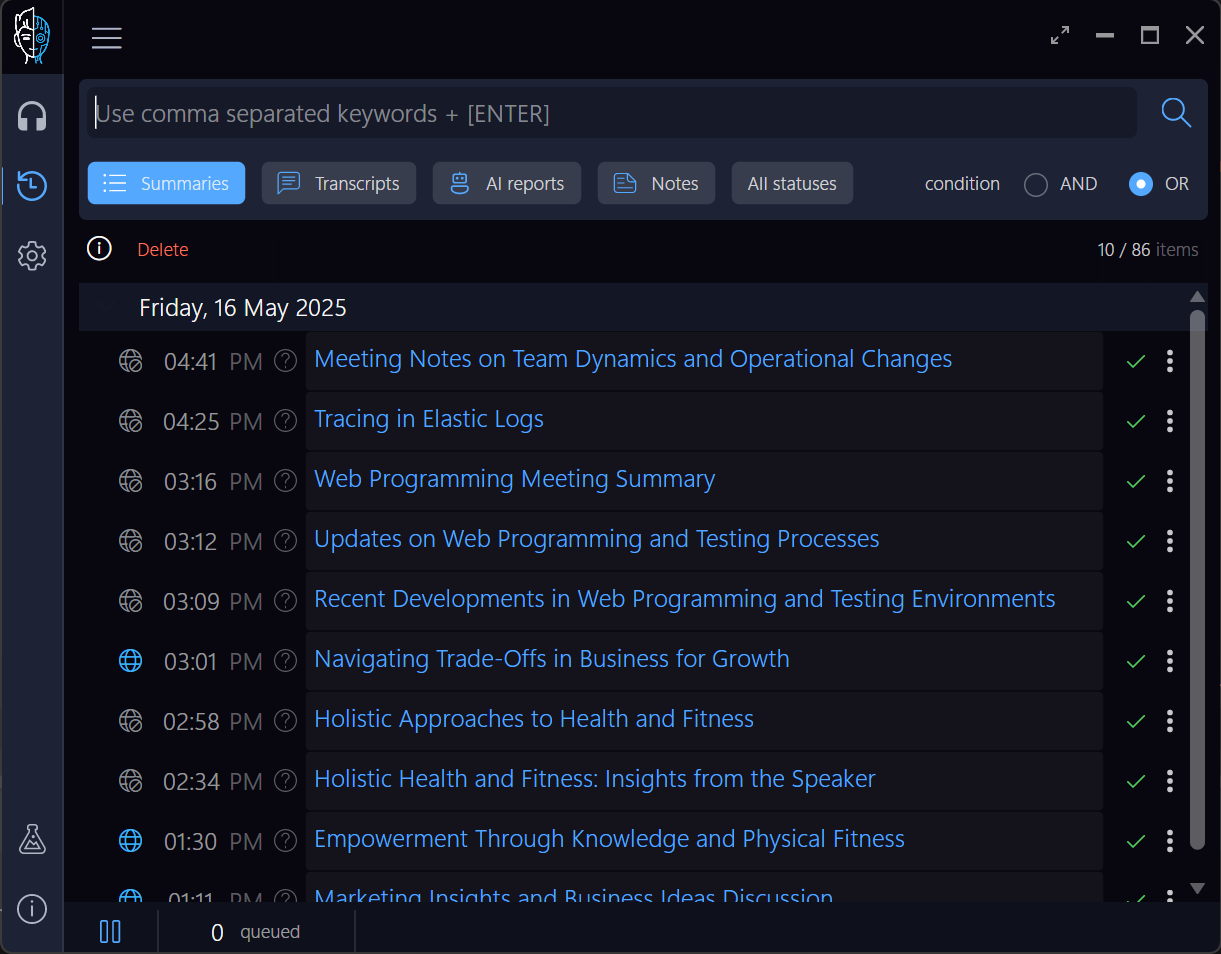
Smart search let you find exactly what you're looking for and it let's you search literally everywhere even define more complex search queries.
Search Your Meeting Notes
Find key moments from your meetings by searching everything that was said and written down.
Search Chats & Personal Notes
Find important info hidden in chat conversations or your own notes seamlessly.