Remote Legal Operations Manager's Guide to Ending Meeting Chaos How to Make Remote Meetings Actually Work for You
Ever feel like remote meetings are stealing your time and sanity?
If you manage legal operations remotely, you’re not alone. Endless calls, unclear action items, and hours lost tracking who said what can make it feel like you’re always behind, even before your day's properly started. But what if those meetings could actually help you get ahead instead?
The daily headaches of remote legal meetings: just keeping up feels impossible
You know the drill:
- Juggling multiple video platforms with different quirks.
- Straining to catch key points while secretly wishing you could mute everything else.
- Ending calls unsure who’s responsible for what tasks, scrambling to find notes buried somewhere after the fact.
- Constantly switching between apps to piece together meeting follow-ups.
- Worrying about client confidentiality while sharing notes and recordings across cloud-based tools.
Sound familiar? These pain points chip away at your productivity and increase stress.
Imagine this instead: smooth, distraction-free meetings that actually make your job easier
What if you had a meeting assistant that worked quietly in the background, without invading your privacy or distracting your team? One that captured every spoken detail in real-time and turned it into clear, actionable insights for you alone.
An assistant that keeps all your sensitive meeting data local, so client secrets never risk exposure.
Picture focusing fully on complex legal discussions while this AI co-pilot tracks who's talking, trims out noise, and highlights key topics automatically. After your call, you get a crisp summary, a clean agenda, prioritized tasks, and a quick way to jump to the exact moment you need, all in one place.
Sounds like a dream, right? This is the subtle power Meeting Buddy brings into your workflow.
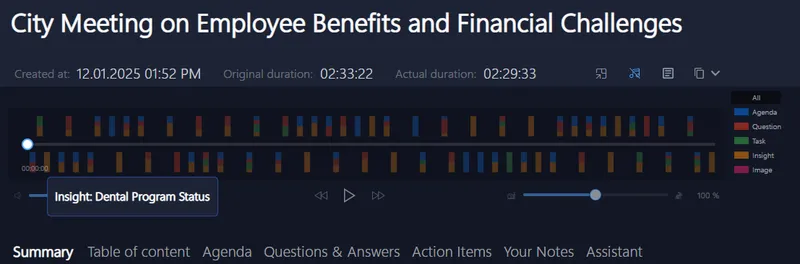
Why your current meeting tech might be letting you down
Most remote meeting tools either rely on cloud bots that can compromise confidentiality or require fiddly manual note-taking that pulls you out of the conversation. They clutter your screen, disrupt your flow, or dump sensitive data in places outside your control.
Standard transcripts often mean hours of sifting through to find actual insights. Automated summaries tend to miss nuance or overwhelm you with irrelevant details.
What you really need is a discreet, private assistant that’s tuned to your needs, not the other way around.
Try it at your next call , no new tricks to learn
Meeting Buddy works quietly on your device, listening alongside you without adding awkward bots or invites. It plays nice with any meeting platform you already use , Signal, Zoom, Teams, Google Meet, Webex, and more.
Lawyers, consultants, recruiters, and legal ops pros have already discovered the freedom of focusing on their conversations instead of scrambling with notes.
Since there’s no setup drama or learning curve, just turn it on and let it work. Your next meeting won’t just be another call , it’ll be a productivity boost.
Looking for a stress-free way to handle remote legal operations calls? Give Meeting Buddy a chance to streamline your workflow and reclaim your time.
For more on how to get the most out of your meetings while keeping client data safe, visit Meeting Buddy Homepage and Privacy Commitment.
Last update: 05 30 2025
