Making Remote Client Meetings Actually Work How to Stop Losing Details and Stay in Control
Ever sat through a remote meeting only to realize later you missed the key points or who actually said what? You’re not alone. It’s frustrating when you can’t fully focus because you’re scrambling to take notes or constantly hit pause just to catch up. Fortunately, it doesn’t have to be this way.
Why Do Remote Meetings Drain You?
You know the drill:
- Trying to jot down everything while also leading the chat.
- Losing track when two people talk over each other.
- Asking for clarifications because you missed a key task.
- Feeling distracted by the background noise or weird audio glitches.
- Scrambling after the call to dig through chat logs or recordings , if they even exist.
Sound familiar? These headaches chip away at your day and your professional mojo.
What If Your Meetings Actually Made Your Life Easier?
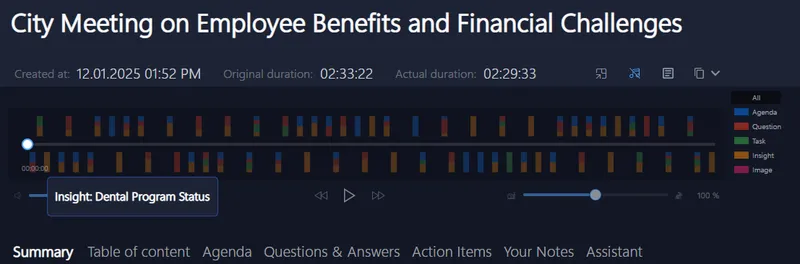
Imagine if your meetings kept track of everything for you. Without interruption, you focus on the conversation while your own invisible assistant listens in real-time, highlighting the tasks, flagging questions, and pinpointing moments when you were mentioned.
That means no more frantic note-taking hands or replay marathons in search of that one action item. It’s like having a discreet sidekick that just gets you and respects your privacy, working solely on your device so your sensitive client talks never leave your control.
Why Most Meeting Tools Don’t Cut It
You might already be juggling Zoom, Teams, or Google Meet. Those platforms often ask you to add bots or external apps to get transcription or summaries, which messes with your team’s flow and triggers security alarms. Plus, your data travels through the cloud, which means less control over sensitive info.
The tools built into your platforms rarely give you quick insights live. So, you end up glued to your screen or wasting post-meeting hours catching up. It doesn’t have to be this painful.
Try This on Your Next Client Call
Before your next remote session, consider a tool that fits quietly on your computer without sneaking into the meeting itself. It works with all the main platforms, Signal, Zoom, Teams, Google Meet, Webex, you name it.
Consultants, coaches, recruiters, sales pros, and agencies already rely on this approach to keep meetings smooth and productive without added fuss.
Just turn it on and let it remind you to record as soon as a meeting starts. Then, lean into the conversation while it captures everything: who said what, the tasks to follow up on, and even real-time summaries.
You get the meeting highlights as soon as you wrap up, so no more searching or stressing about forgetting the details that matter.

Ready for Less Chaos and More Clarity?
Effortless meeting clarity is just a download away.
Explore how keeping your meeting data private and under your full control can change the game: Meeting Buddy Homepage.
Find more tools crafted for YOU here:
Give yourself the invitation-free, zero-disruption helper who’s quietly got your back every call.
Written with insights from Meeting Buddy , the private AI meeting assistant created by Jan Janusek, crafted for busy professionals who demand control and clarity.
Last update: 06 11 2025
