How Virtual Member Experience Coordinators Can End Meeting Chaos and Actually Enjoy Remote Calls
Feeling Swamped by Virtual Meetings? Youre Not Alone
If youre spending your days juggling remote meetings, feeling like youre barely keeping up, youve come to the right place. We get it , it feels like meetings are never-ending, notes get lost, and trying to keep track of who said what is a nightmare. But this constant chaos is totally fixable.
The Daily Struggles You Dont Always Say Out Loud
- Saying, 'Wait, who made that point again?' and wishing your memory wasnt on the fritz.
- Losing track of action items because notes are scribbled everywhere or hidden in chat threads.
- Getting distracted during meetings because you have to keep typing notes instead of listening.
- Feeling guilty when you miss important details or have to ask for a replay.
- Dreading the tedious task of piecing together summaries after hours of back-to-back sessions.
Sound familiar?
Imagine If Your Meetings Just... Worked for You
What if you could fully focus on the conversation knowing your meeting notes and key points are captured quietly and accurately? Think about joining a meeting and having a smart helper track speakers, highlight important moments, and summarize everything for you , all in real time, without slowing you down or falling into the cloud to get hacked.
This isn't some far-off dream. With a discreet AI sidekick running right on your own computer, you get live transcription, clear speaker tracking, and instant access to highlights , without anyone else seeing or joining your call. No bots messing with your flow.
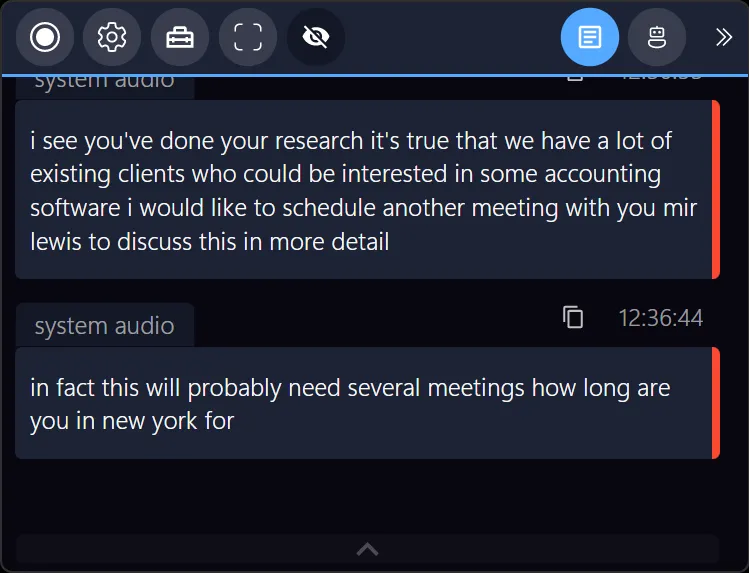
All that frees up your time and brainpower for what really matters: making members feel heard, supported, and engaged.
Why Your Current Tools Are Holding You Back
The problem with many meeting assistants today is they either disrupt the vibe by popping a bot into your calls or send your sensitive info up to the cloud, risking privacy breaches on top of confusing setups. You want seamless support that respects your workspace and your members privacy.
Scripted, bulky software also forces you to constantly click, adjust, or wrestle with complicated menus , not helpful when youre trying to juggle a dozen tasks and keep your headset on.
Try This On Your Next Virtual Meeting
Slip a little help into your call without anyone noticing. This assistant works quietly on your device, so you dont have to invite anyone or mess with your meeting link.
- It plays nicely with Signal, Zoom, Teams, Google Meet, Webex, and others.
- Trusted by virtual coordinators, sales pros, coaches, and recruiters.
- No complicated settings , just start your call, and it listens.
Take a breath and give it a whirl next time. You might just forget youre not doing all the note-taking yourself.
Bonus Resources
- Learn more about simplifying your meeting workflow at Meeting Buddy Homepage.
- Explore how live tools can help at Live Tools.
- Understand the privacy promise here: Privacy Commitment.
Article inspired by insights from Meeting Buddy, helping virtual member experience coordinators and remote workers reclaim their meetings.
Last update: 06 09 2025
