How to Stop Wasting Time on Remote Meetings as a QA Automation Director
Are you drowning in endless remote meetings that eat up your day and leave you exhausted? You’re not alone. Many Remote QA Automation Directors face the same pain , meetings that run too long, notes scattered everywhere, and the frustration of trying to capture everything while staying laser-focused on the technical discussion.
The good news? There’s a smarter way to handle your virtual meetings. One that respects your time and keeps your privacy intact.
The Real Struggles Behind Remote QA Meetings
Let’s get real about what’s driving you nuts right now:
- Juggling multiple meetings and struggling to keep up with key decisions while coding or managing tests.
- Scrambling to capture action items and next steps, often losing important details amid rapid-fire discussions.
- Dealing with spotty audio and background noise that makes it impossible to catch every word.
- Worrying about sensitive project details leaking when meetings require you to add bots or third-party tools.
- Spending hours after meetings trying to piece together what really happened.
Sound familiar? It’s frustrating, inefficient, and frankly, a huge waste of your brainpower.
Imagine a Meeting Where You Can Truly Focus
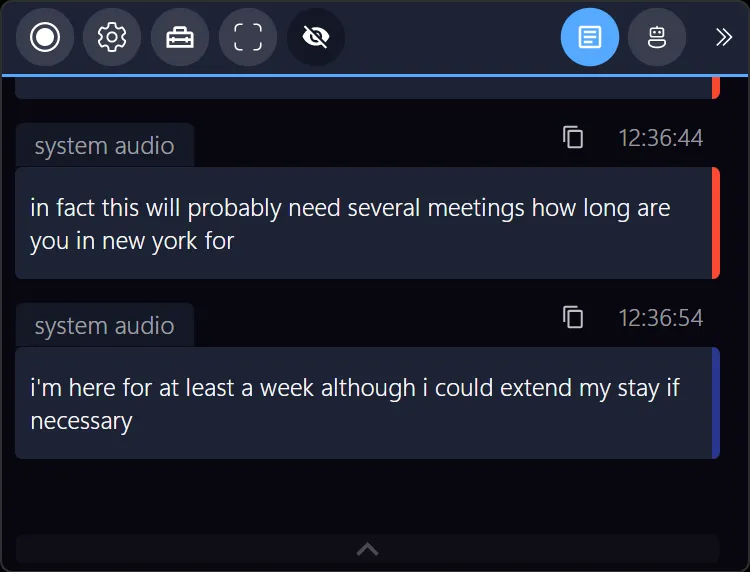
What if your meetings could be effortless? Picture this: you join your daily QA stand-up or sprint review, and instead of frantically jotting notes, you’re fully engaged. The meeting quietly records and transcribes everything right on your own device , no external bots, no outsiders listening in.
After you wrap up, a neat summary is ready, highlighting key tasks, questions, and decisions. You can instantly jump to the exact moment a critical bug was discussed or a test case modified, skipping all the filler.
Because the entire process happens privately and invisibly, your team stays focused, and your sensitive data never leaves your control.
That’s the kind of peace of mind and productivity boost you deserve.
Why Most Meeting Tools Don’t Cut It for QA Directors
You’ve probably tried several tools claiming to help, but here’s the catch:
- Many rely on cloud bots that need you to add extra participants , annoying your team and raising security flags.
- Audio quality often suffers or gets lost in noisy backgrounds, making transcripts unreliable.
- Post-meeting summaries feel generic or incomplete, leaving you to do the real work.
- Privacy concerns with cloud-based analysis can’t sit well when you’re dealing with proprietary test plans or sensitive client data.
The result? You’re stuck with half-measures that slow you down instead of speeding things up.
Ready to Take Control Next Time You Meet?
There’s a quiet assistant ready to work alongside you: it listens, understands, and organizes your meetings just for you. It seamlessly integrates with Zoom, Microsoft Teams, Google Meet, Signal, Webex, and the platforms you use every day, no setup headaches, no interruptions.
It’s already trusted by sales pros, recruiters, consultants, and coaches, and it fits perfectly in your QA world too.
Try it out on your next call. Focus on the conversation, not the note-taking.
Bonus Tip: How to Never Lose the Minute a Bug Was Discovered
Leverage tools that let you search past meetings instantly. When a new test case comes up weeks later, just type the keyword, and jump straight to the relevant discussion , no endless scrolling or guessing.
This quick navigation can be a huge time saver when managing multiple projects and teams.

Navigating remote meetings as a QA Automation Director doesn’t have to be a daily grind. With the right companion, you keep your workflow sharp, your data private, and your team in sync.
Explore more about smart meeting management and privacy-focused AI meeting assistants here.
Written by a fellow remote work enthusiast who knows that better meetings lead to better testing outcomes.
Discover more about Meeting Buddy
Last update: 06 10 2025
