How to Stop Wasting Time in Remote Clinical Team Meetings and Get Back to What Matters
Do you start your remote clinical program meetings feeling like you already lost time? Between tech glitches, unclear notes, and scrambling to remember action items, it’s easy to feel drained by the end of your calls. You’re not alone , managing remote teams in healthcare is stressful enough without meetings adding to the noise.
What’s Really Draining You in Remote Clinical Meetings?
- You miss key points because someone’s talking over the audio or there’s background noise.
- Manually taking notes while trying to stay engaged leaves you frazzled and often forgetting details.
- You spend hours after meetings piecing together summaries and chasing down next steps.
- Organizing and recalling what was decided becomes a nightmare amid a flood of chat messages and emails.
- You worry about privacy , sensitive client information shared in calls needs to stay secure.
Sound familiar? If your meeting experience leaves you exhausted instead of empowered, it’s time to rethink how you handle clinical coordination remotely.
Imagine Meetings That Just Work for You
Picture starting your day knowing your remote clinical meetings will flow smoothly, with nothing lost or misunderstood. You no longer have to frantically scribble notes or replay confusing segments.
With a discreet assistant working silently on your device, your conversations are captured clearly, with background distractions filtered out. When your meeting wraps up, you get a neat summary that highlights the agenda, key points, and actionable tasks , so you can focus on wherever your patients and programs need you next.
No more scrambling to find decisions or follow-ups in a sea of emails. It’s like having a personal co-pilot for every call who respects your privacy and helps you stay sharp.

Why Traditional Tools Aren’t Cutting It
Most meeting tools need bots joining the call or cloud storage that makes you uneasy about who’s hearing sensitive info. They can also be clunky, interrupting your flow with manual recording steps or spotty transcriptions.
What you need is a privacy-first approach that runs quietly on your own device, requires no extra invites or logging into unfamiliar platforms, and provides real-time support just for you. That way, you stay in control, keep the focus where it belongs, and don’t lose time managing tech.
Try It On Your Next Remote Clinical Call
Give it a go next time you dial in. It integrates seamlessly with whatever you use , Signal, Zoom, Teams, Google Meet, Webex, and more. It’s trusted by busy professionals, from sales to consulting to recruitment , clinical program directors included.
You won’t have to change how you work or learn new complicated software. Just focus on your meeting, and let your quiet assistant do the rest.
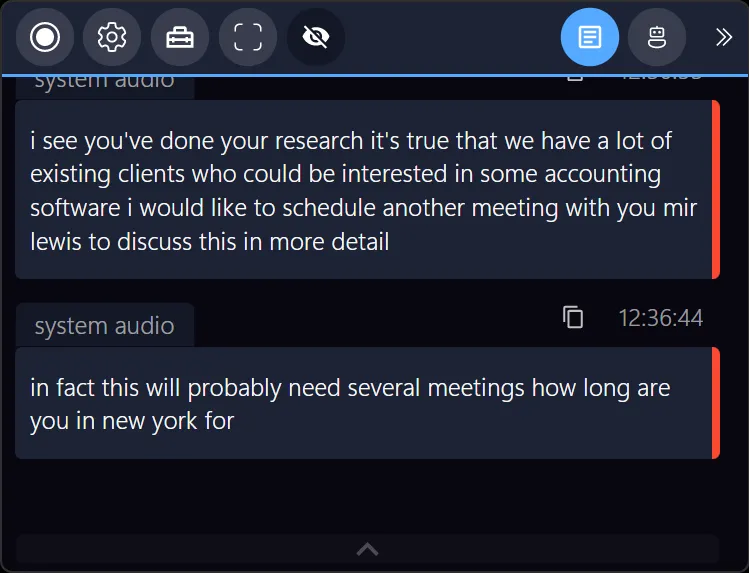
For managing remote clinical programs, every minute counts. Don’t lose more time to meetings that leave you overwhelmed. Let your next call be smoother, clearer, and far more productive.
Inspired by Meeting Buddy’s Privacy-First AI Meeting Assistant , designed by Jan Janusek to make your remote meetings truly work for you.
Last update: 06 09 2025
