How to Own Your Remote Meetings: The Virtual Conference Chair’s Guide to Stress-Free Conversations
Are you over the endless guessing games during video calls? Ever found yourself lost in the chatter, wondering who said what or missing the key points? You’re definitely not the only one. Remote meetings often feel like herding cats , chaotic, confusing, and way too long.
But what if you could chair those meetings like a pro, effortlessly capturing every crucial moment without breaking a sweat or losing track?
What’s Driving You Nuts in Remote Virtual Meetings?
- The "Wait, What Did They Say?" Loop: Scrambling to catch up when someone rambles or interrupts.
- Speaker Tag Confusion: Not knowing who’s talking leads to missed context and awkward follow-ups.
- Distractions and Noise: Background chatter, typing, and hiccups making it impossible to stay focused.
- Post-Meeting Fog: Struggling to pull out action items or summaries without rewatching the whole thing.
- Juggling Multiple Platforms: Zoom, Teams, Meet , switching tools but none plays nicely with your workflow.
Sound familiar? These frustrations don’t have to be your daily grind.
Imagine Chairing Remote Virtual Conferences Without the Usual Chaos
Picture this: You’re in your next virtual meeting, fully tuned in without scrambling to jot notes.
- The meeting starts, and your assistant already knows, quietly prompting you to record so nothing slips through.
- As people speak, you see clearly who’s talking, with smart tracking that makes it easy to follow the flow.
- Important points, questions, and tasks highlight themselves in real time, so you focus on dialogue instead of distraction.
- The noise around folks fades away, only the crisp voices come through.
- When the call wraps up, a clear, searchable summary waits for you , with all the key moments, next steps, and questions neatly logged.
All seamlessly flowing beneath the surface, keeping your private conversations private, and your meeting notes organized for good.

Why Your Current Tools Leave You Hanging
Most meeting assistants make you invite a bot, compromising privacy and annoying your team. They shove your audio off to the cloud, risking data leaks. And they deliver transcripts only after the fact , when you’ve already lost the moment.
This means you:
- Waste time toggling apps and sharing recordings.
- Fear oversharing sensitive info.
- Miss out on real-time cues that keep conversation on track.
You deserve a smarter, smoother way.
How to Try Meeting Buddy in Your Next Call
No need to change platforms or add complicated plugins:
- Works silently with Signal, Zoom, Teams, Google Meet, Webex, and more.
- Designed for sales pros, consultants, coaches, recruiters, and agencies who value privacy and clarity.
- Simple setup: it listens to your system audio directly, so you engage naturally without distractions.
Try it in your next video conference and see how it turns chaos into clarity. With Meeting Buddy quietly by your side, you’ll finally chair with confidence and ease.
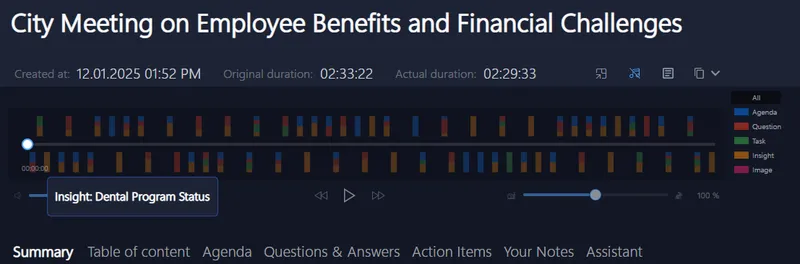
Be the remote virtual conference chair who actually enjoys meetings , focused, in control, and clear-headed. It’s possible, and it starts with making your meetings work for you, not the other way around.
For more insights and how Meeting Buddy supports your every conversation, visit Meeting Buddy Homepage.
Written by the Meeting Buddy Team
Last update: 06 08 2025
