How to Manage Remote Training Meetings Without Losing Hours and Your Sanity
Ever Feel Like Remote Meetings Are Wasting Your Time?
If you’re managing online training programs, you know the drill. Endless meetings, notes scattered everywhere, and no time left for actual training. It’s frustrating, right? You’re not alone , many training managers feel stuck trying to keep up, especially when meetings drag on or fall apart without clear action points.
But what if your meetings helped you do your job better, not bury you under chaos?
Why Remote Training Meetings Can Be a Nightmare
Sound familiar?
- Everyone talks over each other, and you miss crucial details.
- You scramble to jot down notes while trying to listen.
- Finding where an important decision happened feels like a scavenger hunt.
- After meetings, you waste hours piecing together who’s supposed to do what.
- You worry about privacy when using big cloud apps that invite weird security questions.
These headaches derail your focus and burn your time.
What If Your Meetings Actually Worked For You?
Imagine this:
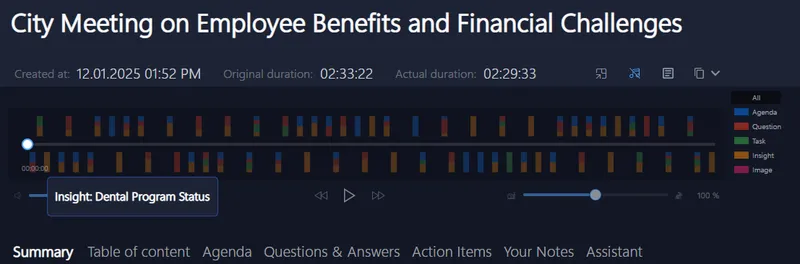
You hit ‘start’ and your meeting just flows. While everyone chats, you get clean, distraction-free transcripts that highlight action items and questions, all in real time. No need to fiddle with bots or invite extra participants that freak out your team.
After the session wraps, a smart summary with clear tasks is ready instantly, searchable and easy to edit. You spend less time digging through notes or emails and more time helping your trainees succeed.
And the best part? Everything stays on your device, not floating somewhere on the cloud, so your data feels safer.
This kind of seamless, private meeting companion is what many online training program managers dream of.
Why Your Current Meeting Tools Might Be Letting You Down
Ever tried managing meetings with bots and cloud recording apps? They often:
- Interrupt the flow, pinging participants or eating up system resources.
- Risk sensitive info because data leaves your control.
- Make you jump between apps to find notes or summaries.
- Offer clunky interfaces that don’t support multilingual teams or quick navigation.
If you’re tired of patchwork solutions, there’s a quieter, smarter way that works behind the scenes without adding noise or friction.
Try Making Your Next Meeting Effortless
Next time you host or attend an online training session, why not let an AI helper work silently on your side? Compatible with Zoom, Teams, Google Meet, Signal, Webex, and more, it blends into your workflow without any extra steps or invites.
It’s the kind of tool trusted by sales pros, consultants, coaches, recruiters, and agencies, all of whom need meetings that respect their time and privacy.
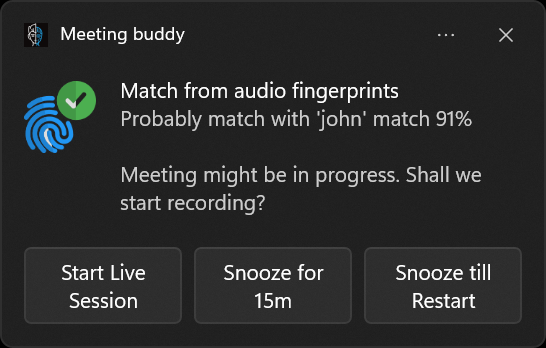
By letting your AI assistant track speakers, catch keywords live, and auto-start recording, you focus on what matters, your people, your program, and your goals.
No distractions, no bot annoyances, just smart support.
Where to Learn More
Feeling ready to cut the chaos? Explore Meeting Buddy’s live tools and see how it quietly transforms meeting chaos into clarity.
Credit: This blog is inspired by the smart AI meeting assistance crafted by the folks at Meeting Buddy, designed specifically for professionals who need dependable, private meeting support.
Last update: 06 09 2025
