How to Crush Remote Meeting Chaos as a DevOps Engineer with Zero Effort and Total Privacy
Fed Up With Remote Meetings Eating Your Day? You’re Not Alone
Ever feel like remote meetings are less about solving problems and more about juggling chaos? Between unclear notes, scrambled tasks, and awkward audio glitches, it can feel like your day is slipping through endless hours of confusion. You’re not the only DevOps pro stuck in this loop. The good news? There’s a way to reclaim your time and sanity.
Meet Your Meeting Nightmares (As Told By DevOps Pros)
- Lost in transcription hell: Half the time the meeting notes make no sense or you miss key points because someone talks over another.
- Juggling too many apps: Slack, Zoom, Teams, all need you to switch mental gears fast and manually track actions.
- Privacy worries: Pushing sensitive deploy info through cloud bots or third-party services makes you uneasy.
- Chaotic follow-ups: Spending hours chasing action items you barely caught the first time.
- Noise and distractions: Background hums and echoes make it impossible to catch everything in real time.
Sound familiar? You deserve meetings that actually make your life easier, not harder.
What If Your Meeting Assistant Worked Silently In The Background, Just For You?
Imagine an AI that listens locally, right on your device, no bots, no clunky invites, no cloud risks. It keeps track of who said what, cleans out the noise, and hands you bulletproof summaries and precise action items before you even finish your coffee post-call.
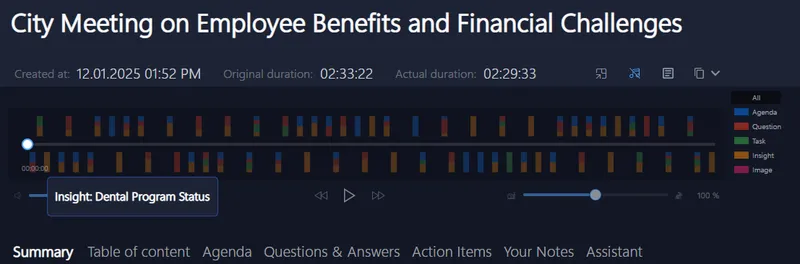
It’s like having a personal co-pilot who never interrupts and ensures you never miss a beat. That means your focus stays on solving problems, not wrestling with meeting clutter. And when it’s time to find that one important deployment detail, you jump straight to it, no endless scrolling required.
Why Your Current Tools Are Holding You Back
Most meeting apps rely on cloud bots and third-party integration which can be noisy and intrusive. They demand invites from your already packed calendar and drag your workflow into cumbersome multi-app territories. Worst? Your sensitive infrastructure discussions leak through servers you can’t fully control.
You deserve an assistant that respects your privacy, runs quietly on your own laptop, and supports you live, without a hitch.
Try It Next Time You Join a Call , No Headache, All Gain
Next time you jump on Zoom, Teams, Google Meet, or any platform, imagine having an AI assistant that captures everything without interrupting. It speaks your language (English, Spanish, German, French, Italian), cleans audio so every word is crisp, and pops up helpful highlights without a single click.
You can come back later to editable, searchable notes with all your action items tagged and ready. Whether you’re a consultant, recruiter, or running complex DevOps sprints, this fits seamlessly into your flow.

Your Meetings Just Got Smarter, and More Private
Remember: with this approach, there’s no data leaking out or bots sneaking in. It’s all happening on your device. Fast, private, and effortless. Maybe it’s time to get off the meeting hamster wheel and back to what you do best.
For a deeper dive into how to reclaim your meeting time with privacy and powerful AI support, check out Meeting Buddy Analytics and Live Tools.
Credit: Created by experienced engineers, for engineers, tailored to real-world DevOps challenges.
Happy deploying. Happy meetings.
Last update: 05 24 2025
