How to Actually Own Your Remote UX Research Meetings Without Losing Your Mind
Ever been drowning in remote meetings where half the time you’re scrambling to catch notes, and the rest you’re wondering what even happened? You’re not the only one. Managing UX research remotely throws all kinds of curveballs, awkward silences, missed action items, and those info dumps that vanish the moment you log off.
But what if your meetings were actually manageable? What if you could focus on understanding users instead of fighting tech glitches and note-taking burnout?
The Real Pain of Remote UX Research Calls
- Frustration #1: Trying to keep up with who said what, especially when multiple people talk over each other or drop off unexpectedly.
- Frustration #2: Constantly toggling between apps to capture action items, record sessions, and take notes, only to lose important insights in the chaos.
- Frustration #3: Panicking when sensitive user data or company secrets might leak because of cloud-based recording bots or poorly secured tools.
- Frustration #4: Feeling like you’re missing critical moments because you can’t rewind easily or track when certain topics or users were discussed.
- Frustration #5: Spending your post-meeting hours piecing together summaries instead of focusing on actual research analysis.
Sound too familiar?
What If Your Meeting Assistant Just Got You?
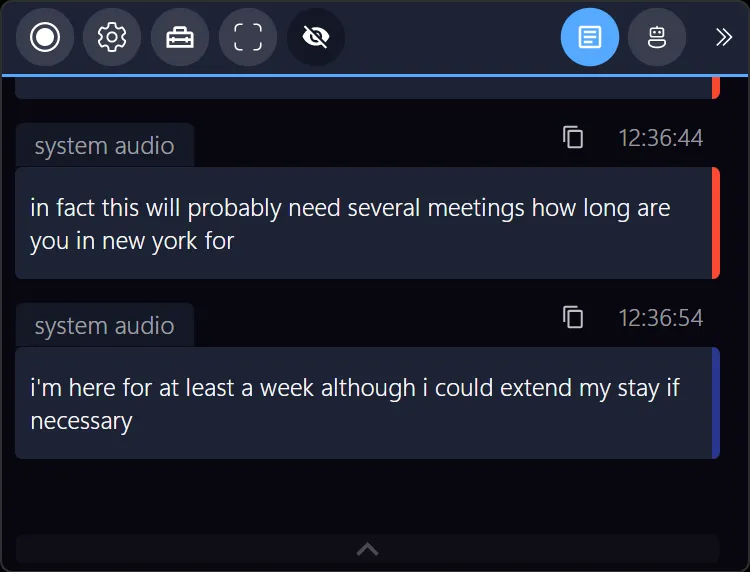
Imagine a tool that silently listens to your meetings without turning into the talkative stranger on the call. It picks up every speaker, in multiple languages if you want, and highlights the real gold, the tasks, the key points, the moments that mention you.
Picture waking up after your video call to a clear, actionable summary: who said what, what next steps were assigned, and a neat timeline you can skim in seconds. No more scrambling for notes or fearing data exposure because everything lives safely on your device.
That’s exactly the kind of seamless support that fits into your remote UX research flow, no interruptions, no distractions, just your trusted sidekick.

Why The Usual Meeting Tools Let You Down
Standard tools often demand adding bots or external recorders to your calls, which can freak people out and put sensitive info at risk. Many cloud-based platforms struggle with noise, lag, and fail to help you quickly pinpoint critical insights post-meeting.
Plus, generic notetaking apps don’t capture the nuances of a multi-lingual UX session or track speakers effectively. Your work deserves a smarter setup, one that respects privacy really well and works quietly in the background.
Take It for a Spin on Your Next UX Research Session
Ready for a meeting assistant that gets your back without hogging the spotlight? This runs right on your PC, no clunky bots, no risky cloud storage. It’s totally compatible with Zoom, Teams, Google Meet, Webex, and even Signal calls.
Perfect for remote UX researchers, product teams, consultants, and anyone who’s tired of juggling too many apps just to stay sane.
Next time you jump on a call, let it quietly handle the chaos:
- Real-time transcription and speaker tracking
- Instant keyword alerts
- Auto-summaries and task tracking
No learning curve. No hassle. Just smarter, clearer meetings.
Discover how it can make your remote UX research smoother, check it out here: Meeting Buddy Homepage
Written for UX research pros who deserve meetings that work as hard as they do.
Find out more about smarter meeting workflows and privacy-conscious tools at Meeting Buddy Features and Privacy Commitment.
Last update: 06 10 2025
