How Remote High-Touch Customer Trainers Can Finally Tame Chaos in Virtual Meetings for Clearer Coaching Outcomes
Are you tired of losing track during remote training sessions? You're not alone.
If you’ve ever been stuck replaying parts of a remote coaching call because you missed key points or struggled to remember who said what, you get the frustration. Remote meetings aren’t just about logging in and talking; they’re about capturing every nugget of insight and turning it into action for your clients. But how often does technology get in your way instead of helping?
Common headaches that trip you up in remote customer training
- Ever felt overwhelmed by trying to jot down notes and stay fully engaged? Yeah, that struggle's real.
- Has your brain ever just hit a wall because background noise or multiple speakers made the session impossible to follow? So distracting.
- Endless searching through long meeting recordings to find that one important moment , like a needle in a haystack.
- Losing client trust because you can’t deliver timely follow-ups or clear training recaps.
- Dealing with privacy fears when using cloud-based meeting apps or bots that invite themselves in.
Sound familiar? These day-to-day pains slow you down and drain your energy.
Imagine this: every training session flows smoothly, focused on your client, while insights capture themselves silently.
What if your technology was completely invisible , no extra bots popping into meetings, no clunky invite steps, just seamless support? And your notes, summaries, and action items magically organized and ready before you even finish your coffee?
Imagine a discreet assistant that listens just for you, tracking speakers, cutting out noise, highlighting key moments, and keeping everything strictly private.
This kind of support lets you be the expert coach, present and focused, while all that messy data work happens quietly in the background.
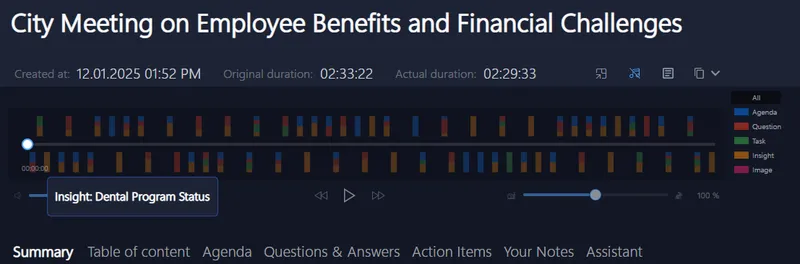
Why your current meeting tools aren’t cutting it
Most remote meeting software expects you to add recording bots or share data on cloud servers. That’s not only a privacy headache but also distracting for your clients who notice extra participants. And the manual effort to wrangle notes, timestamps, and summaries eats up your time.
Sure, some tools transcribe meetings, but how many actually track speakers in real-time, spot keywords live, or prompt you to start recording automatically? And can they do all that while keeping everything safe on your device, away from prying eyes?
Your training toolkit deserves better than just fragments and manual catch-up.
Try this on your next remote training call , effortless, private, and infinitely easier
Join countless coaches, consultants, and remote customer trainers who enjoy a true silent partner during meetings. This assistant knows how to listen without interrupting, captures every vital insight live, and organizes your follow-ups without clogging your workflow.
- Works seamlessly with Signal, Zoom, Teams, Meet, Webex, and more.
- Supports multiple languages so global clients aren’t left behind.
- No complex setup; just run it on your device and focus on what you do best.
Start the next session confident that nothing slips through the cracks, and privacy is never compromised.

Empower your remote customer training with tools that respect your time, your focus, and your privacy , because your clients deserve nothing less.
For more on managing remote meetings without the stress, visit Meeting Buddy Homepage or explore their Live Tools and Analytics.
Crafted thoughtfully with insights from the founder Ing. Jan Janusek, a veteran in building secure, privacy-first meeting solutions.

Last update: 06 03 2025
