How Remote Design Sprint Facilitators Can Stop Missing Details and Stay Totally in Control of Every Meeting
Ever felt like you’re the only one trying to stay focused during a remote design sprint? Like everyone’s talking over you, missing action items, or glossing over important stuff you know you’ll need later? You’re not alone , remote meetings can easily become overwhelming and chaotic, making it tough to keep the pace and deliver great results. The good news? This friction doesn’t have to be part of your everyday grind.
The Daily Grind of Remote Sprints: What’s Really Bugging You
You know the drill:
- Trying to capture important points while juggling a dozen other things on your screen.
- Missing who said what because voices overlap or tech glitches kill the sound.
- Action items slipping through the cracks because notes get lost or jumbled.
- Struggling to keep participants engaged and on time without coming off as the “meeting police.”
- Wasting time post-meeting trying to piece together what happened and what needs doing next.
Sound familiar? These distractions chip away at your ability to guide teams smoothly through sprints, leaving you frustrated and forced to spend extra hours just catching up.
Imagine This: Your Remote Sprint Buddy, Always Listening, Always Private
What if you had a silent teammate that captured every word, sorted out who said what in real-time, and turned your meetings into crystal-clear records , all without interrupting your flow or anyone else’s?
This is where a private AI meeting assistant steps in, quietly working in the background on your side. It’s like having an ultra-private recorder and smart summarizer that keeps your sprint moving without you lifting a finger. No awkward extra bots to invite
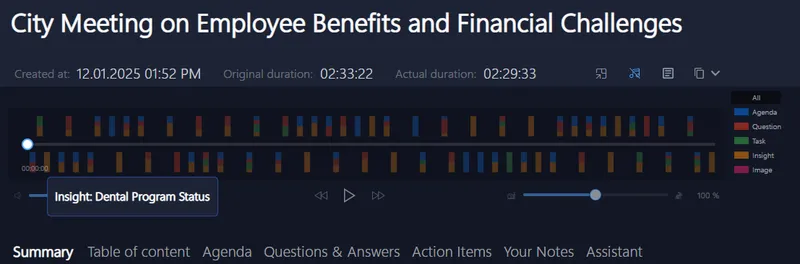
and no sharing sensitive conversations on cloudy servers. Just sharp, focused audio trimmed of background noise and silence, spotlighting content that matters.
Post-sprint, you get instant recaps with tasks, questions, and highlights, ready to tweak or share with the team , saving hours on manual catch-ups.
Why Your Current Tools Likely Leave You Hanging
Most meeting tools are built for broad use, not the fast-paced, detail-demanding world of remote design sprints. They either
- Rely on clunky bots that disrupt the meeting vibe
- Store sensitive info on servers you can’t fully control
- Require you to manually start recordings or sift through endless transcripts
- Lack live insights so you miss key moments as they happen
You deserve a smoother, more discreet system that tunes in only for you , making meetings the productive, focused powerhouse they’re meant to be.
Give It a Go on Your Next Sprint Call
Try bringing in a private AI assistant that meshes with whatever platform you’re using , whether it’s Zoom, Teams, Google Meet, Signal, Webex, or anywhere else your team hangs out.
Because it sits quietly on your device, there’s zero fuss or extra invites needed. Plus, it’s built for folks like you: sales pros, consultants, coaches, recruiters, and agencies that rely on spotless meeting efficiency.
Ready to stop missing crucial sprint moments and start running calls like a pro? Just set it up and focus on the conversation , the AI does the rest.
Picture this: Seamless speaker detection, real-time transcription, and spot-on action item tracking , all invisible and effortless.
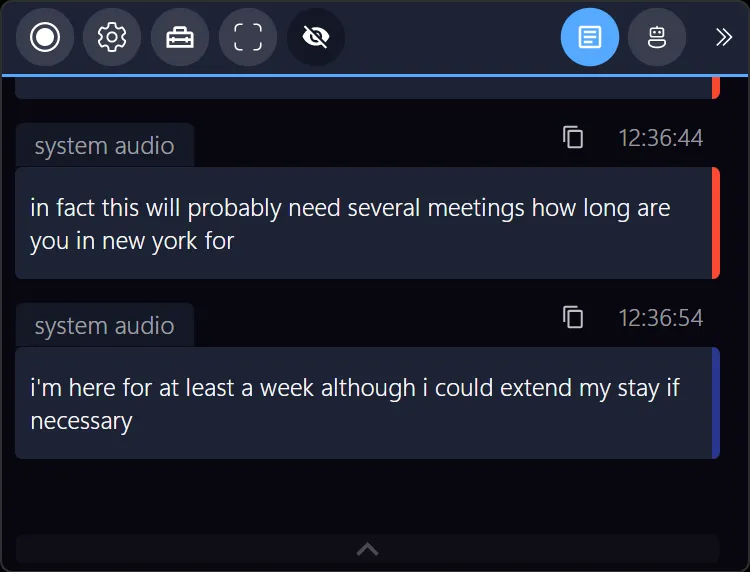
For more tips and ideas on supercharging your meeting workflow, visit Meeting Buddy Features. The secret to stress-free remote sprints might just be one quiet assistant away.
Written by a friend who knows your struggles and wants to see you succeed, without the tech headaches.
Learn more about keeping your meeting data private and secure.
Last update: 06 10 2025
